How to set up a high-converting scheduling flow
December 8, 2025
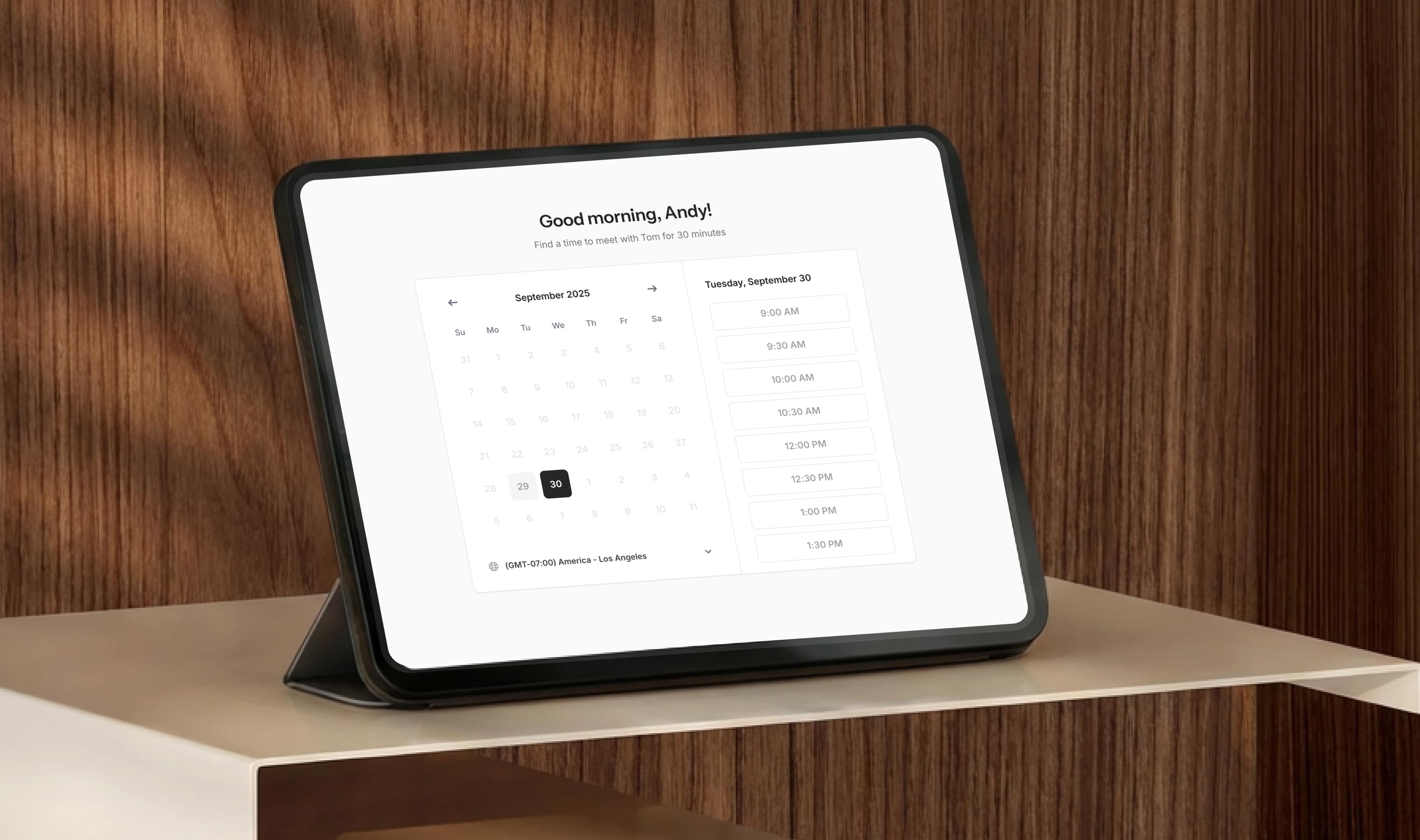
Most scheduling tools stop at “pick a time.” They give you a link, a calendar view, and maybe a buffer setting—and then hand everything else back to you.
The result? Missed context, no-shows, scattered prep, and follow-up that depends on your memory instead of a system.
A high-converting scheduling flow is more than a link. It’s a chain of small, thoughtful steps that build trust, reduce friction, and prepare your meetings for success before they even start.
Here’s how to build one—without adding another tool to your subscriptions.
Start with clear meeting types
Most advisors run every meeting through the same generic link. But clients don’t all need the same thing.
Your scheduler should have distinct meeting types with different goals:
- Intro calls
- Review meetings
- Accountability check-ins
- Onboarding sessions
- Quick follow-up calls
Each meeting deserves its own structure. When clients see the right meeting type, they know exactly what they’re scheduling—and you start on the same page.
Use routing questions to gather context up front
Every unanswered question becomes friction later.
Simple prompts—“What would you like to focus on?” or “Is there anything I should review before we meet?”—give you context before the meeting starts. That leads to:
- Better prep
- Shorter meetings
- Fewer surprises
- More confident clients
With Quin, these questions are built in, and your answers automatically flow into your pre-meeting brief.
Set smart reminders that feel human, not automated
“No-shows” aren’t a scheduling problem—they’re a communication problem.
A high-converting scheduling flow sends reminders:
- At the time of booking
- 24 hours before
- 1 hour before
But tone matters. Reminders should sound like you—not like a robot. Quin sends reminders with your voice and your formatting, so clients actually read them.
It’s a small detail with a big impact on meeting attendance.
Build buffer times that support your workflow
Buffers do more than protect your calendar—they protect your thinking.
Add time before and after high-stakes meetings so you can review notes, collect your thoughts, and send follow-ups without feeling rushed.
Quin uses your buffer automatically: if you block 15 minutes after a meeting, Quin uses that time to generate your recap and draft the follow-up email.
Your tools finally work together instead of against you.
Automatically log every meeting to your CRM
A scheduling link that doesn’t sync to your CRM just creates more work.
Your meeting flow should automatically:
- Create the event
- Attach the right contact
- Log the meeting type
- Record the conversation recap
- Add next steps
Without this connection, you’re stuck copying and pasting between apps. With Quin, these steps happen instantly and consistently.
Your records stay clean. Your time stays yours.
Send follow-up messages as part of the flow—not after
The meeting isn’t finished when the call ends. It’s finished when the follow-up is sent.
Most advisors struggle with this step because it requires shifting tools: Zoom → inbox → CRM. That’s where consistency breaks.
Quin closes the loop by drafting your follow-up email automatically as soon as the meeting ends. You can edit it or send it with one click.
The result: clients feel supported, and nothing falls through the cracks.
One scheduling link, an entire workflow behind it
A high-converting scheduling flow is about more than the booking moment. It’s about what happens before, during, and after.
With Quin:
- Clients book the right meeting type
- You collect the right context
- Reminders reduce no-shows
- Buffers protect your thinking
- CRM updates happen automatically
- Follow-ups send on time, every time
No extra software. No integrations to manage. No subscription stacking.
If you haven’t set up your Quin scheduling link yet, start there—it takes less than five minutes and instantly elevates how clients experience your firm.
#skills