
Holistiplan
Connect Quin with Holistiplan to look up, create, and update household, client, and subsidiary records, and pull in tax planning details like Roth projections and reports as you work.
Holistiplan is where an advisory practice keeps its tax planning work, from household composition to income tax detail, Roth conversion projections, scenario analyses, and tax reports. Quin connects to Holistiplan so you can search, create, and update household, client, and subsidiary records through chat, and pull in a household's tax planning details the moment you ask about it.
How to set it up
In Holistiplan:
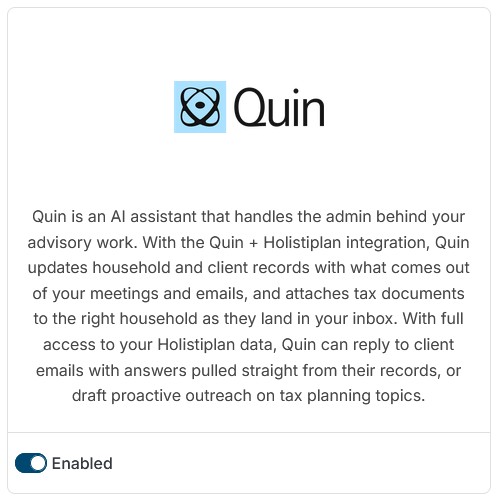
- Navigate to Settings > Integrations and enable the Quin integration.
Then, in Quin
- Go to Settings > Integrations
- Click Add Integration
- Select Holistiplan from the list and click Connect
- Follow the authentication prompts to connect your Holistiplan account
- Review the requested access permissions (Quin needs permission to read and write household, client, and subsidiary records)
- Click Connect
The integration will appear as "Active" on your Integrations page once connected.
What to expect
After connecting Holistiplan, ask Quin to search for, create, or update households, clients, and subsidiaries directly through chat. When you ask Quin about a specific household, Quin also pulls in that household's tax planning details, including income tax figures, Roth conversion projections, scenario analyses, tax reports, tax returns, and tax letter status, so you don't need to open Holistiplan to see them.
Examples of what Quin does:
- If you ask "What's the latest Roth conversion projection for the Chen household?" Quin pulls that projection directly from Holistiplan
- If you say "Create a household for the Rodriguez family under Westgate Advisors," Quin creates the record in Holistiplan
- If you ask "Turn on billing for the Patel household," Quin updates the household's billing status in Holistiplan
How household lookups work
Holistiplan isn't a CRM, so Quin doesn't sync every record in your account ahead of time the way it does with dedicated CRM integrations. Instead, Quin searches and retrieves records when you ask, matching households and clients by name or other identifying details you provide. Quin checks for an existing match before creating a new record, so ask Quin to search first if you're not sure whether a household or client already exists.
Managing household billing
Billing for a household in Holistiplan works differently from its other fields. Ask Quin to turn billing on or off for a household, and Quin activates or deactivates billing in Holistiplan directly, rather than editing a standard field.
Uploading tax returns
Attach a tax return PDF in Quin and ask it to add the file to a household in Holistiplan. Tell Quin which household the return belongs to and which tax year it covers, and Quin uploads it directly to that household's records.
The household needs to already exist in Holistiplan before you upload a return. Quin can only attach PDF files, and each file needs to be under 50 MB.
For example, attach a PDF and say "Add this to the Chen household as their 2025 tax return," and Quin uploads it to that household in Holistiplan.
Disconnecting Holistiplan
- Go to Settings > Integrations
- Find the Holistiplan integration
- Click Disconnect
- Confirm the disconnection
Disconnecting stops Quin from looking up, creating, or updating any Holistiplan records. Records already in Holistiplan remain there but won't be reachable through Quin.
Troubleshooting
Quin can't find a household or client I'm asking about
- Verify the household or client exists in Holistiplan with the name you used
- Try using the full household or client name for a more accurate match
- Confirm the Holistiplan integration shows as "Active" in Settings > Integrations
Tax planning details aren't showing up for a household
- Ask about the household directly rather than searching, since tax details load in when Quin retrieves a specific household
- Confirm the tax data you're expecting, like income tax detail, Roth projections, scenario analyses, reports, returns, or letter status, exists in Holistiplan for that household
Quin created a duplicate household or client
- Ask Quin to search for the household or client by name before creating a new one next time
- Merge or remove the duplicate directly in Holistiplan, since Quin can't merge records
A delete request didn't go through
- Quin requires an explicit confirmation before deleting a household, client, or subsidiary. Reply to confirm and it will proceed
A tax return upload didn't go through
- Confirm the household already exists in Holistiplan, since Quin can't create one as part of the upload
- Check that the file is a PDF under 50 MB
- Try again with the household name spelled exactly as it appears in Holistiplan
Help articles

Related articles
Still have questions?
Our team is happy to walk you through anything — whether you're evaluating Quin or looking to get more out of it.

